
Your CRM has 12,000 contacts. Your team exports a list for an email campaign. The marketing platform flags 3,400 records as incomplete — missing email addresses, outdated phone numbers, wrong job titles. Half the company names haven’t been updated since the contacts were first entered two years ago. Someone left the company. Someone got promoted. Two companies merged and now they’re one.
You send the campaign anyway. The bounce rate comes back at 22%. The sales team follows up on leads that go nowhere because the data behind them is a mess. This isn’t a CRM problem. It’s a data problem. And B2B data appending is the most direct fix for it.
What Is B2B Data Appending, Exactly?
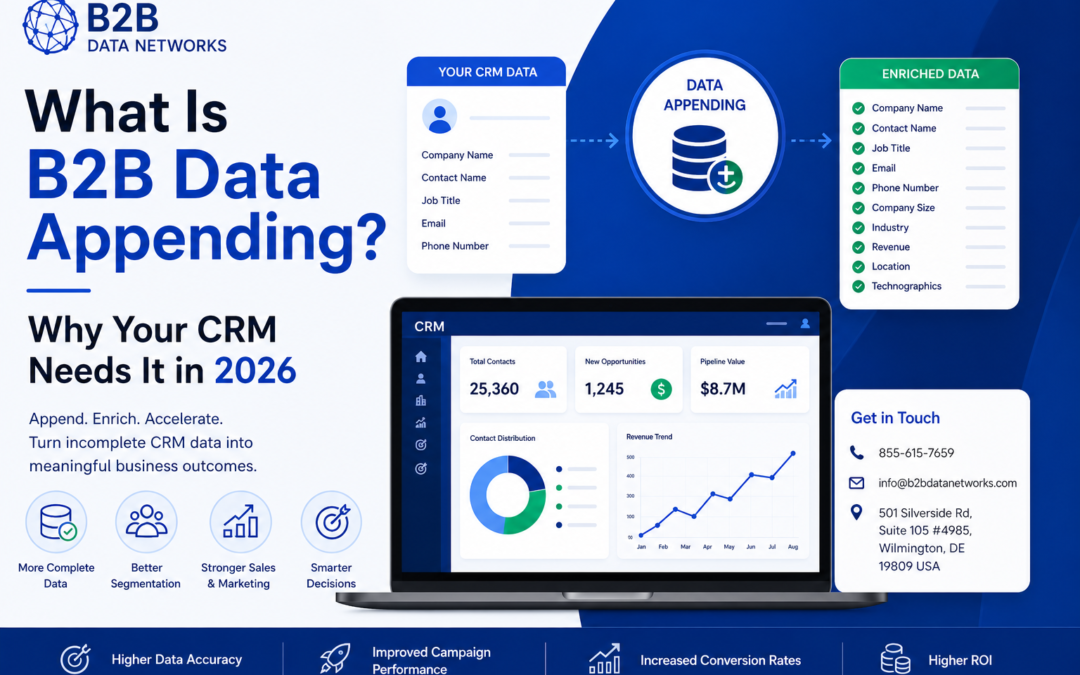
B2B data appending is the process of filling in missing, outdated, or incomplete information in your existing contact database by matching your records against a verified external data source.
The idea is this: You already have a list of companies and some information for contacting them. The data append company then uses its own database to match your list and completes the record for you with additional details such as email address, direct phone number, job title, LinkedIn profile URL, and company details like size.
Why CRM Data Goes Bad Faster Than Most People Realize
Before getting into how appending works, it’s worth understanding the problem it’s solving — because most teams dramatically underestimate how quickly their data degrades.
Research on data decay for B2B information is conclusive in its findings that the degradation happens at a consistent rate of about 20 to 30% each year. Therefore, when you had developed an immaculate list of 10,000 contacts one year ago without any subsequent update, then it follows that 2,000 to 3,000 of your contacts will be inaccurate.
People change jobs. They get promoted. They move to competitors. Companies get acquired, rebranded, or shut down. Phone numbers get reassigned. Email addresses get deactivated when someone leaves.
None of this shows up automatically in your CRM. It just quietly sits there, decaying, until your bounce rate tells you something’s wrong — usually in the middle of a campaign you were counting on.
This is the environment B2B data appending exists to solve. It’s not a one-time fix either. Organizations that take data quality seriously typically run an appending process every 6 to 12 months on active segments of their database.
What B2B Data Appending Actually Does — Field by Field
The specific fields that get appended depend on what’s missing in your records and what the data provider can match. But here’s what a typical B2B data appending engagement covers:
Email Appending
The most common use case. You have company names and contact names but missing or outdated email addresses. The appending service matches your records and returns verified business email addresses for the contacts you already know about.
This alone can unlock a segment of your CRM that was previously unreachable through email campaigns.
Phone Appending
Direct dial numbers, company main lines, and sometimes mobile numbers where available and compliant. Particularly useful for sales development teams running outbound call campaigns alongside email sequences.
Title and Role Appending
People get promoted. People switch departments. The VP of Marketing you added in 2022 might now be the Chief Marketing Officer — or might have moved to a different company entirely. Title appending refreshes role information so your segmentation stays accurate.
Firmographic Appending
Company-level data: industry classification, employee count, annual revenue, headquarters location, and corporate structure (subsidiary vs. parent company). This matters enormously for account-based marketing, where you’re scoring accounts based on their fit profile.
Social Profile Appending
LinkedIn URLs and occasionally other professional profile links. Useful for sales teams doing multi-channel outreach, where knowing a contact’s LinkedIn presence allows for coordinated email-plus-LinkedIn sequences.
B2B Data Appending vs. Data Enrichment — What’s the Actual Difference?
These two terms get used interchangeably so often that the distinction has gotten blurry. But they’re not quite the same thing.
Data appending is specifically about filling in missing fields. You have a record with some information — typically a name and company — and you’re adding what’s absent.
Data enrichment is broader. It includes appending, but also covers updating existing fields that are present but outdated, adding behavioral data (intent signals, engagement history), and layering in third-party insights that go beyond standard contact fields.
In practice, most good B2B data appending services do some degree of both — they fill missing fields and also flag or update records where the existing data has gone stale. But if a vendor is pitching you “enrichment” that only adds a handful of basic fields without touching accuracy, they’re using the fancier word for a simpler service.
When you’re evaluating providers, ask specifically: “Do you update existing fields if they’ve changed, or only fill in fields that are blank?” The answer tells you whether you’re getting true enrichment or basic appending.
How the B2B Data Appending Process Works
The mechanics are straightforward, though the quality of the output varies significantly based on the provider’s database depth and matching methodology.
Step 1: You provide your existing records Typically exported from your CRM as a CSV or Excel file. The more identifying information you include — full name, company name, existing email, website URL — the higher the match rate will be.
Step 2: The provider runs a matching process Your records are matched against their verified database. Match rates vary by provider and by how much information you start with. A good provider should achieve a 70 to 85% match rate on a reasonably complete input file.
Step 3: Missing fields are filled in from verified sources Matched records get their missing data populated. The provider verifies contact information before returning it — email addresses are confirmed as active, phone numbers are checked, titles are validated.
Step 4: You receive the enriched file The appended records come back ready to re-import into your CRM. Most providers flag which fields were added or updated so you know exactly what changed.
Step 5: QA and re-import Before uploading anything back into your CRM, run a spot-check on the appended records. Look for obvious mismatches — wrong industry, title that doesn’t fit the company size, email format inconsistencies. A quick review before re-import catches errors before they propagate through your system.
The Real Business Case: What Appending Actually Fixes
The data quality argument is compelling on its own. But the business case for B2B data appending runs deeper than cleaner spreadsheets.
It Recovers Lost Pipeline
Every contact in your CRM with a missing email address is a lead your team can’t reach by email. If 20% of your database is missing email data — which is common in CRMs that were built up through trade show badge scans, business card captures, or inbound form submissions with partial fields — that’s a significant portion of your addressable market that’s effectively invisible to your campaigns.
Appending email addresses to those records doesn’t just clean your database. It expands your reachable audience without acquiring a single new contact.
It Makes Segmentation Actually Work
Account-based marketing and audience segmentation both depend on accurate firmographic data — company size, industry, revenue range. If those fields are incomplete or wrong, your segments are wrong. You end up targeting enterprise accounts with SMB messaging, or reaching out to the wrong industry vertical because the SIC code was never populated.
Appending firmographic data turns vague contact records into properly classified accounts that your team can actually work intelligently.
It Reduces Wasted Sales Effort
Sales development reps spend a meaningful portion of their time on data cleanup — Googling to find correct contact information, manually updating CRM records, chasing phone numbers that ring to voicemail because the extension changed. That’s time not spent on actual selling.
When the data is right from the start, the team spends more time talking to prospects and less time hunting for the right number to call.
It Improves Email Deliverability Across the Board
Sending campaigns to a database with high rates of invalid addresses tanks your deliverability — not just for the bad records, but for your legitimate contacts too. Internet service providers watch your bounce rates. Consistently high bounces put your domain on a path toward the spam folder.
Cleaning and appending your database before a major campaign sends protects your sender reputation for the long term.
Common Mistakes Businesses Make With Data Appending
A lot of organizations run one appending project, see improvement, and consider the problem solved. It isn’t.
Treating it as a one-time fix. Data decays continuously. A single appending pass extends the useful life of your database but doesn’t stop the decay. Building a regular cadence — typically every 6 to 12 months for active segments — is how you maintain data quality rather than just recovering from it periodically.
Not QA-checking the returned data. Even good providers have some errors in appended records. Running a quick validation pass before re-importing into your CRM catches problems before they become embedded in your system.
Appending without updating your processes. If the data capture processes that created gaps in the first place aren’t addressed, you’ll be running the same appending project in a year to fix the same problems. Appending cleans up the past; better data capture habits prevent the same issues going forward.
Choosing a provider based on match rate alone. A provider that claims a 95% match rate sounds great — until you realize they’re matching records to outdated or unverified information just to inflate the percentage. Match rate matters, but verified accuracy of the matched data matters more.
Skipping re-verification post-append. Even after the provider returns appended records, running the email addresses through a verification tool like ZeroBounce or NeverBounce catches anything that slipped through. It’s a 20-minute step that can save your next campaign from a deliverability hit.
What to Look for in a B2B Data Appending Service
Not all providers operate the same way. Here’s what actually separates quality services from mediocre ones:
|
What to Ask |
What a Good Answer Looks Like |
|
How do you verify appended data? |
Specific process — active email verification, phone validation, source transparency |
|
What’s your typical match rate? |
70–85% on a complete input file; higher claims warrant skepticism |
|
How current is your source database? |
Re-verified on a rolling basis, not a static annual update |
|
Do you update existing fields or only fill blanks? |
Both — true enrichment, not just gap-filling |
|
What file formats do you accept and return? |
CSV, Excel at minimum; CRM-native integrations are a bonus |
|
Is the data CAN-SPAM compliant? |
Clear yes with explanation of their sourcing practices |
FAQs: B2B Data Appending
What types of businesses benefit most from B2B data appending?
Any organization with an existing contact database that’s grown organically over time — through trade shows, inbound leads, past customers, or manual entry — typically has significant data gaps. This includes B2B software companies, professional services firms, marketing agencies managing client databases, and sales teams carrying CRMs built up over multiple years. If your database is older than 18 months and hasn’t been systematically cleaned, there’s almost certainly value in an appending pass.
How long does a B2B data appending project take?
Turnaround time varies by provider and database size. For most mid-size databases (5,000 to 50,000 records), a standard appending project typically comes back within 3 to 7 business days. Larger enterprise databases or projects requiring manual verification on edge cases can take longer. Most providers give you a timeline estimate when you submit the file.
What’s a realistic match rate to expect?
A well-structured input file with full contact names, company names, and at least one existing identifier (website URL, existing email) typically achieves a 70 to 85% match rate with quality providers. Lower match rates usually mean the input file had incomplete identifying information. Be skeptical of providers claiming 95%+ match rates — that often means they’re matching loosely and returning low-confidence data.
Is B2B data appending legal?
Yes. B2B data appending deals with business contact information, not personal consumer data. In the United States, CAN-SPAM governs what you can do with that information in email outreach — and as long as you’re sending to business addresses, including proper sender identification, and honoring opt-outs, you’re compliant. For any contacts in the EU, GDPR considerations apply separately and your provider should be able to advise on their data sourcing practices for European records.
How is B2B data appending different from just buying a new contact list?
Buying a new list gives you net-new contacts you don’t already have a relationship with. Data appending enriches records you already own — people who have already interacted with your business in some way, whether as past customers, trade show leads, or inbound inquiries. Those existing relationships generally convert better than cold contacts, which is why recovering and completing those records often produces stronger ROI than buying net-new data.
Conclusion:
A CRM full of incomplete, outdated records isn’t a sales asset — it’s a liability your team works around every day. B2B data appending is how you close the gap between the database you have and the database you need to actually run effective campaigns.
It recovers lost pipeline, sharpens segmentation, reduces the manual burden on your sales team, and protects the deliverability that your email campaigns depend on. Done on a regular cadence, it’s one of the highest-ROI data investments a B2B marketing or sales organization can make.
Clean Up Your CRM With B2B Data Networks
B2B Data Networks provides verified B2B data appending services that help businesses recover incomplete records, enrich existing contact databases, and improve CRM accuracy across key fields — email, phone, title, and firmographic data.
Whether you’re running a one-time cleanup before a major campaign or looking to build a regular data maintenance cadence, their team can match your existing records against one of the most current B2B databases available for the U.S. market.